



1980s AI Videos Prompt: How to Create Retro Videos with AI

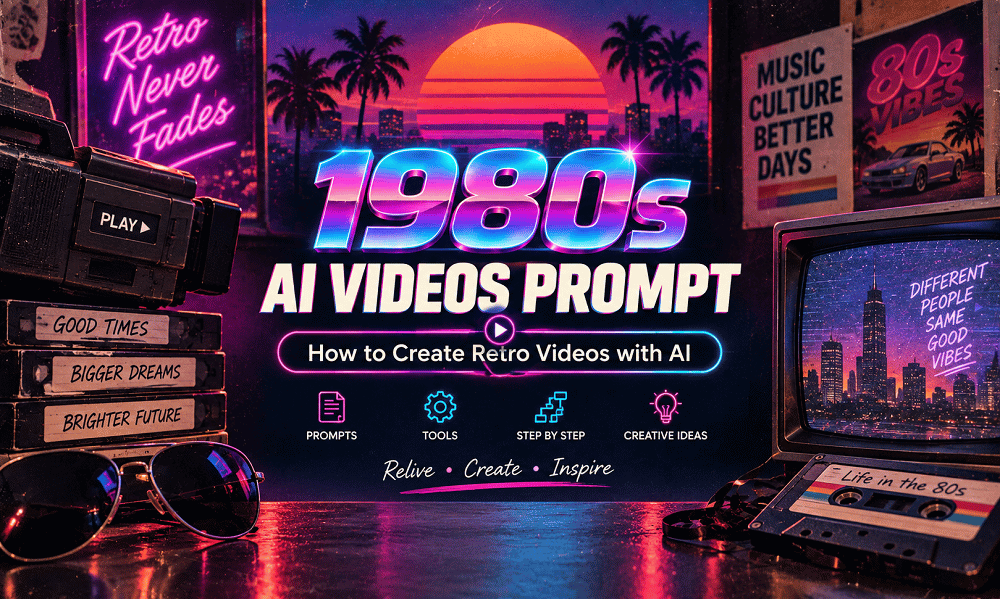
The nostalgic look of the 1980s is becoming popular again in social media, advertising, music videos, and creative storytelling. From vintage fashion and classic cars to neon lights, cassette tapes, arcade games, and analog film effects, the 80s offer a distinctive visual style that works especially well for short-form video content.
With an effective 1980s AI Videos Prompt, you can turn a simple idea into a retro-inspired video without having professional filmmaking equipment. AI video tools can help create scenes with period-appropriate locations, clothing, lighting, camera movements, and cinematic effects.
In this guide, you’ll learn how to create 1980s AI videos, which tools you can use, how to write effective prompts, and how to create realistic retro video scenes.
What Is an 1980s AI Videos Prompt?
An 1980s AI Videos Prompt is a detailed text instruction used with an AI video generator to describe the scene, characters, environment, camera movement, lighting, and visual style of an 1980s-inspired video.
Instead of simply writing:
“Create an 80s video.”
You can describe exactly what should appear:
“Create a cinematic 1980s street scene at night with a person walking beside a classic car, neon signs glowing in the background, vintage clothing, atmospheric fog, analog film grain, warm streetlights, and slow handheld camera movement.”
This gives the AI much more information to work with.
Why Are 1980s AI Videos Trending?
Retro content has a strong nostalgic appeal and can stand out from highly polished modern digital content. The visual language of the 1980s is also easy to recognize because of its distinctive fashion, colors, technology, vehicles, music culture, and photography style.
1980s AI video prompts can be used to create:
- Retro social media videos
- Vintage fashion videos
- 80s cinematic scenes
- Nostalgic storytelling
- Music-video concepts
- Retro advertisements
- Short films
- YouTube Shorts
- Instagram Reels
- TikTok-style videos
- Creative blog visuals
The key is to combine the right visual details with clear instructions for movement and cinematography.
How to Create an 1980s AI Video
Creating an 80s-style AI video can be broken into a few simple steps.
Step 1: Choose Your 1980s Video Concept
First, decide what type of scene you want to create.
For example:
- A person walking through an 80s city
- A vintage road trip
- A retro arcade
- A classic car commercial
- A 1980s fashion shoot
- A night-time diner scene
- A nostalgic family video
- An 80s music-video sequence
Having a clear concept makes it easier to build an effective prompt.
Step 2: Describe the Character and Clothing
The character description is important because clothing and hairstyles immediately establish the decade.
You could include:
- Denim jackets
- High-waisted jeans
- Leather jackets
- Vintage sneakers
- Colorful tracksuits
- Oversized shirts
- Retro sunglasses
- Period-appropriate hairstyles
For example:
“A young man wearing a vintage denim jacket, high-waisted jeans, classic sneakers, and retro sunglasses.”
Avoid adding modern clothing or technology if you want a more authentic result.
Step 3: Build an Authentic 1980s Environment
The background can make your video feel much more believable.
Consider adding:
- Classic cars
- Video rental stores
- Arcades
- Neon signs
- Old shopping malls
- Diners
- CRT televisions
- Cassette players
- Vintage advertisements
- Payphones
- Record stores
Instead of simply saying “a city,” describe the city as it would appear during the 1980s.
Step 4: Add Camera Movement
One of the biggest differences between an image prompt and an AI video prompt is movement.
Tell the AI how the camera should behave.
Useful camera instructions include:
- Slow tracking shot
- Handheld camera movement
- Smooth dolly shot
- Cinematic pan
- Close-up
- Wide establishing shot
- Low-angle shot
- Slow zoom
- Over-the-shoulder shot
For example:
“The camera slowly tracks alongside the character while maintaining a medium shot.”
This helps turn a static concept into a video sequence.
Step 5: Add 1980s Film Characteristics
To create an authentic retro appearance, describe the visual qualities you want.
Useful terms include:
35mm film, analog texture, subtle film grain, soft focus, vintage flash, slight color fading, natural film imperfections, light leaks, realistic exposure, and nostalgic cinematic atmosphere.
Don’t overdo the effects. Excessive grain or artificial distortion can make the video look like a modern digital video with a filter rather than an authentic retro recording.
Best 1980s AI Videos Prompt
Here is a ready-to-use prompt:
Create a cinematic 1980s-inspired video showing a young person walking through a vibrant city street at night. The person wears authentic 1980s fashion, including a denim jacket, high-waisted jeans, retro sneakers, and vintage sunglasses. Classic cars pass through the street while neon signs and storefronts illuminate the background. Use realistic 35mm analog film aesthetics, subtle film grain, slightly faded colors, natural skin texture, vintage camera exposure, realistic shadows, and authentic 1980s environmental details. Use a slow cinematic tracking shot with gentle handheld movement. Avoid modern cars, smartphones, contemporary clothing, modern buildings, and overly digital visual effects.
10 1980s AI Video Prompts
1. 1980s Street Video Prompt
Create a realistic 1980s city street at night with vintage cars, neon storefronts, pedestrians wearing authentic 80s fashion, glowing signs, and wet streets reflecting colorful lights. Use 35mm film aesthetics, subtle grain, vintage exposure, and a slow cinematic tracking shot.
2. 1980s Classic Car Prompt
Create a cinematic video of a classic 1980s sports car driving along a coastal road at sunset. Include palm trees, vintage clothing, warm sunlight, analog film grain, subtle lens flare, realistic motion, and a smooth tracking camera shot.
3. 1980s Arcade Prompt
Create a nostalgic 1980s arcade filled with colorful arcade machines, CRT screens, teenagers wearing authentic retro clothing, neon lights, and vintage posters. Use handheld camera movement, realistic indoor lighting, 35mm film grain, and authentic analog video texture.
4. 1980s Fashion Video Prompt
Create an 80s-inspired fashion video featuring a model wearing authentic 1980s streetwear in a colorful urban setting. Use dramatic lighting, retro styling, slow camera movement, subtle film grain, vintage colors, and realistic 35mm photography.
5. 1980s Diner Prompt
Create a cinematic 1980s diner scene at night with neon signs, classic cars parked outside, vintage furniture, waitresses in period-appropriate uniforms, and customers wearing 80s fashion. Use warm lighting, analog film grain, realistic reflections, and a slow camera pan.
6. 1980s Road Trip Prompt
Create a nostalgic 1980s road-trip video showing friends traveling in a classic car along an open highway. Include vintage luggage, cassette tapes, roadside diners, warm sunlight, retro clothing, analog film texture, and smooth cinematic camera movement.
7. 1980s Family Video Prompt
Create a realistic home-video-style scene from the 1980s showing a family celebrating together in a vintage living room. Include period-appropriate furniture, clothing, a CRT television, warm indoor lighting, slight VHS imperfections, and authentic handheld home-video movement.
8. 1980s Music Video Prompt
Create a cinematic 1980s music-video-inspired scene featuring a performer on a neon-lit urban street. Include retro fashion, dramatic lighting, atmospheric haze, colorful signs, analog film grain, dynamic camera movement, and authentic 80s visual styling.
9. 1980s Shopping Mall Prompt
Create a realistic 1980s shopping mall filled with vintage stores, colorful signs, arcade machines, shoppers in period clothing, classic advertisements, and retro interiors. Use smooth tracking shots, soft lighting, 35mm film grain, and authentic nostalgic details.
10. 1980s Summer Prompt
Create a nostalgic summer video inspired by the 1980s, showing friends enjoying a sunny afternoon beside a classic car. Include vintage sunglasses, colorful clothing, cassette players, warm sunlight, subtle film grain, natural movement, and an authentic analog-camera look.
Free AI Tools for Creating 1980s Videos
You don’t always need expensive software to experiment with 1980s AI video prompts. Several AI platforms offer free access, free credits, or limited free plans that are useful for creating retro video content.
1. ChatGPT
ChatGPT can help you write detailed 1980s AI video prompts, develop scenes, create storyboards, and refine ideas for different AI video generators. You can describe the decade, characters, clothing, locations, camera movement, and visual effects to create a strong prompt.
2. Google Flow
Google Flow can be used to turn creative ideas and prompts into cinematic video scenes. It is useful for experimenting with 80s retro videos, cinematic camera movements, vintage environments, and nostalgic storytelling. Free access or credits may vary by region and plan.
3. YouTube Create
YouTube Create is a free video-editing app from YouTube that can help you edit and combine your AI-generated clips. You can add music, text, transitions, captions, and other effects to create short-form 1980s AI videos for YouTube Shorts and social media.
4. CapCut
CapCut offers a range of free video-editing features that can be useful after generating your retro clips. You can combine multiple AI scenes, add captions, transitions, music, and vintage-style effects to create a complete 80s video.
Tip: Free features, credits, and AI-generation limits can change over time, so check each platform’s current free offering before starting your project.
How to Make 1980s AI Videos More Realistic
A good prompt is only the starting point. These techniques can improve your results.
Use Specific Period Details
Instead of “retro city,” describe the actual visual elements you want. Mention classic vehicles, payphones, cassette players, CRT screens, vintage stores, or period-specific clothing.
Describe Movement
Always include camera movement or subject movement when creating video. This helps the generator understand that you’re creating a moving scene rather than a still image.
Keep Characters Consistent
When creating multiple clips, use consistent descriptions for characters, clothing, location, and visual style. This can help maintain continuity between scenes.
Use Realistic Film Effects
Use subtle film grain, natural exposure, analog texture, soft focus, and slight color fading rather than extreme effects.
Avoid Modern Objects
Add negative instructions when necessary:
“No smartphones, modern vehicles, contemporary clothing, modern buildings, or futuristic objects.”
1980s AI Video Prompt Formula
You can create your own prompts using this structure:
Subject + Action + Location + 1980s Details + Clothing + Lighting + Camera Movement + Film Style + Negative Instructions
Example:
Subject: Young woman
Action: Walking through a city
Location: Downtown street
Details: Neon signs and classic cars
Clothing: Denim jacket and high-waisted jeans
Lighting: Nighttime neon lighting
Camera: Slow tracking shot
Film: 35mm analog film grain
Negative: No modern technology
Final Prompt:
Create a realistic 1980s video of a young woman walking through a downtown city street at night. She wears a denim jacket and high-waisted jeans. Classic cars pass by while neon signs illuminate the street. Use a slow tracking camera movement, realistic 35mm analog film texture, subtle grain, natural shadows, and slightly faded colors. Avoid modern vehicles, smartphones, contemporary clothing, and futuristic elements.
1980s AI Video Prompts for Social Media
Short videos are particularly suitable for retro AI content. For Instagram Reels, YouTube Shorts, TikTok, and similar platforms, consider creating several short scenes instead of one long video.
For example:
Scene 1: A classic car arrives outside an 80s diner.
Scene 2: A person walks inside wearing retro clothing.
Scene 3: Friends meet at an arcade.
Scene 4: The group leaves the arcade at night.
Scene 5: The camera pulls back to reveal a neon-lit city street.
You can then combine the clips in a video editor and add suitable music, captions, and transitions.
Frequently Asked Questions
What is an 1980s AI Videos Prompt?
An 1980s AI Videos Prompt is a detailed instruction for an AI video generator describing an 80s-inspired scene, including characters, clothing, location, lighting, camera movement, and retro film effects.
How do I create an 80s video with AI?
Start with a clear concept, describe authentic 1980s visual details, specify character movement and camera movement, and add analog film characteristics such as subtle grain and vintage exposure.
Which AI tool is best for 1980s videos?
There isn’t one universal best tool. Runway, Kling AI, Google Veo, and Pika can all be considered depending on the type of video, desired realism, available features, and budget.
Can AI create realistic 1980s videos?
Yes. Detailed prompts can help AI video generators create convincing retro environments, clothing, vehicles, lighting, and camera styles. Adding period-specific details generally produces better results than using the word “retro” alone.
Can I use 1980s AI videos for social media?
Yes. Retro AI videos can be used for social media content, creative storytelling, marketing concepts, and short-form videos, subject to the tool’s licensing and usage terms.
Creating an 1980s AI Videos Prompt is a simple way to experiment with nostalgic video content. The most effective prompts don’t just ask an AI tool to make something “retro.” They describe the decade through fashion, locations, vehicles, technology, lighting, camera movement, and analog film characteristics.
Start with one clear scene, generate a short clip, and refine the prompt based on the result. Once you have a consistent visual style, you can create multiple scenes and combine them into a complete 1980s AI video for social media, blogs, campaigns, or creative projects.