



1980s AI Photo Prompt: How to Create Retro Photos with ChatGPT

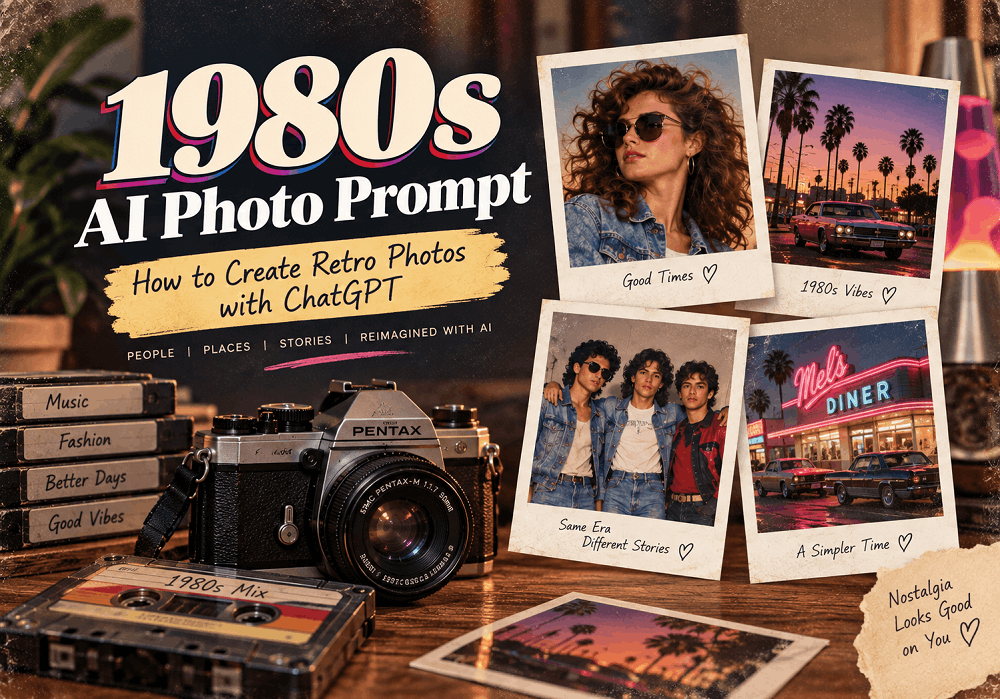
The 1980s are back in style, from vintage fashion and classic cars to film photography, colorful interiors, and nostalgic portraits. With AI image generation, you can recreate the distinctive look of the decade without needing an old camera or expensive editing software.
A well-written 1980s AI photo prompt can transform an ordinary photo concept into a realistic retro image featuring vintage clothing, analog film grain, authentic lighting, old-school backgrounds, and the unmistakable visual character of 1980s photography.
In this guide, you’ll learn how to write effective 1980s AI photo prompts and use ChatGPT to create realistic retro-style images.
What Is an 1980s AI Photo Prompt?
An 1980s AI photo prompt is a detailed text instruction that tells an AI image generator how you want an image to look like it was photographed during the 1980s.
Instead of simply asking for a “vintage photo,” you can describe specific elements such as:
- 1980s fashion
- Analog camera aesthetics
- Film grain
- Vintage color tones
- Flash photography
- Retro hairstyles
- Classic cars
- Neon lights
- Old-fashioned interiors
- Polaroid-style compositions
- Slightly faded colors
- Authentic 1980s environments
The more specific your prompt is, the easier it is for an AI image generator to understand the visual style you want.
Why Are 1980s AI Photos Trending?
Retro aesthetics have become popular across social media, blogs, advertising, fashion, and digital content. The 1980s are particularly recognizable because of their bold fashion, distinctive colors, music culture, technology, and analog photography style.
AI makes it possible to recreate these visual elements quickly. You can experiment with different locations, outfits, lighting styles, camera perspectives, and photographic effects simply by changing your prompt.
For creators, this makes 80s retro AI photos useful for social media posts, creative projects, website visuals, storytelling, advertisements, and personal photo concepts.
How to Create an 1980s AI Photo with ChatGPT
Creating a retro image starts with a clear description of the image you want.
Instead of writing:
“Create an 80s photo.”
Give the AI more visual information.
For example:
“Create a realistic 1980s-style portrait of a young man standing outside a classic American diner at night. He is wearing a vintage denim jacket, white T-shirt, high-waisted jeans, and retro sneakers. Use direct on-camera flash, subtle 35mm film grain, slightly faded colors, natural skin texture, realistic shadows, and authentic 1980s photography.”
This prompt gives the AI information about the subject, clothing, location, lighting, camera style, and overall aesthetic.
Best 1980s AI Photo Prompt
Here is a ready-to-use 1980s AI photo prompt:
Create a highly realistic photograph inspired by authentic 1980s photography. Show a person standing in a classic retro urban setting, wearing authentic 1980s fashion with period-appropriate hairstyle and accessories. Use a vintage 35mm film camera aesthetic, natural skin texture, subtle film grain, slightly faded colors, realistic flash photography, soft imperfections, natural shadows, and an authentic analog photograph appearance. Avoid modern clothing, modern technology, excessive digital sharpness, artificial skin smoothing, and an overly stylized AI look. Make the image feel like a genuine photograph taken in the 1980s.
You can replace the person, location, outfit, and activity to create different variations.
5 Ready-to-Use 1980s AI Photo Prompts
1. 1980s Street Photography Prompt
Create a realistic 1980s street photograph showing a person walking through a busy city street. Include vintage cars, old storefronts, period-appropriate clothing, analog signs, and authentic urban details. Use 35mm film photography, natural lighting, subtle film grain, slightly faded colors, realistic shadows, and an imperfect analog texture. Make it look like an authentic photograph captured in the 1980s.
2. 1980s Couple Photo Prompt
Create a realistic romantic photograph of a couple during the 1980s. They are wearing authentic 1980s fashion and standing outside a vintage restaurant at night. Use direct camera flash, realistic skin texture, 35mm film grain, slightly warm colors, natural shadows, and subtle photographic imperfections. The image should look like a genuine personal photograph from the 1980s.
3. 1980s Family Photo Prompt
Create a realistic family photograph from the 1980s, showing a family sitting together in a vintage living room. Include authentic 1980s furniture, clothing, hairstyles, home décor, and a period-appropriate television. Use an analog camera look, soft indoor lighting, subtle film grain, slightly faded colors, realistic skin texture, and natural photographic imperfections.
4. 1980s Fashion Portrait Prompt
Create a realistic 1980s fashion portrait featuring bold period-appropriate clothing, retro hairstyle, vintage accessories, and classic studio photography. Use dramatic studio lighting, 35mm film texture, subtle grain, realistic skin, slightly muted colors, and authentic 1980s fashion photography. Avoid modern fashion and digital photography characteristics.
5. 1980s Retro Car Photo Prompt
Create a highly realistic 1980s photograph of a person standing beside a classic car on a city street. The person is wearing authentic 1980s clothing and accessories. Include vintage buildings, street signs, and period-appropriate environmental details. Use a 35mm analog camera aesthetic, direct flash, subtle film grain, natural skin texture, slightly faded colors, and realistic photographic imperfections.
How to Make an AI Photo Look More Authentic
Simply adding “1980s” to a prompt may not always produce a convincing vintage photograph. Add specific photographic characteristics to make the result feel more authentic.
Use Analog Film Details
Words such as 35mm film, analog photography, film grain, light leaks, faded colors, photographic imperfections, and vintage flash can help establish the desired aesthetic.
Describe the Environment
The background is just as important as the subject. Mention things that would realistically exist during the decade, such as vintage vehicles, old storefronts, cassette players, CRT televisions, retro furniture, or period-specific advertisements.
Specify the Lighting
Lighting can dramatically change the appearance of an AI-generated image. Try terms such as:
- Direct camera flash
- Warm indoor lighting
- Low-light photography
- Soft window light
- Neon street lighting
- Harsh flash photography
Avoid Modern Elements
If you want an authentic 1980s appearance, tell the AI to avoid modern smartphones, contemporary cars, modern clothing, current architecture, and other details that could make the image look like a modern photograph with a vintage filter.
1980s AI Photo Prompt Formula
You can create your own prompts using this simple formula:
Subject + Location + Clothing + Objects + Lighting + Camera Style + Film Texture + Authenticity Instructions
For example:
Subject: Young woman
Location: 1980s shopping mall
Clothing: Vintage denim jacket and high-waisted jeans
Objects: Arcade machines and cassette player
Lighting: Indoor fluorescent lighting
Camera: 35mm film camera
Texture: Subtle film grain and faded colors
Authenticity: Period-accurate details and no modern objects
Combined prompt:
Create a realistic 1980s photograph of a young woman inside a vintage shopping mall, wearing a denim jacket and high-waisted jeans. Include classic arcade machines and period-appropriate advertisements in the background. Use 35mm analog film photography, subtle film grain, slightly faded colors, realistic indoor lighting, natural skin texture, and authentic photographic imperfections. Avoid modern objects and contemporary fashion.
Tips for Better 1980s AI Images
For more realistic results, keep these tips in mind:
- Be specific about the decade. Mention 1980s or a specific year when appropriate.
- Describe the environment. Background details can make the image much more convincing.
- Use photography terminology. Terms such as 35mm film, flash photography, grain, and analog texture can improve the result.
- Mention authentic clothing. Describe the actual style instead of simply saying “retro clothes.”
- Control the lighting. Lighting helps establish the mood and photographic era.
- Avoid excessive effects. Too much grain or distortion can make the image look artificial.
- Ask for realistic imperfections. Slight exposure variation and natural film texture can make an image feel less digitally generated.
- Keep the prompt focused. Too many unrelated instructions can make the final image inconsistent.
1980s AI Photo vs. Modern AI Photo
The biggest difference is the visual language used in the prompt.
A modern AI portrait might emphasize ultra-high resolution, perfect lighting, sharp details, and flawless skin. An 1980s AI photo prompt should instead describe analog photography, period-specific styling, realistic imperfections, film grain, flash, and authentic environments.
The goal is not simply to add a vintage filter. The goal is to recreate the characteristics of a photograph that could realistically have been taken during the 1980s.
Frequently Asked Questions
-
Can ChatGPT create 1980s-style photos?
Yes. You can use ChatGPT to develop detailed image prompts and, where image generation is available, create images based on those instructions. The quality of the result depends heavily on how clearly you describe the subject, environment, clothing, lighting, and photographic style.
-
What is the best 1980s AI photo prompt?
A strong prompt combines a specific subject and setting with 1980s fashion, period-appropriate objects, analog photography, 35mm film characteristics, realistic lighting, and subtle film grain.
-
How do I make an AI photo look like it was taken in the 1980s?
Include details such as 35mm film photography, analog camera aesthetics, vintage flash, subtle film grain, slightly faded colors, period-appropriate clothing, and authentic 1980s surroundings. Also instruct the AI to avoid modern objects and contemporary styling.
-
Can I use an 1980s AI photo prompt for portraits?
Yes. Portraits are one of the easiest ways to experiment with retro AI photography. You can customize the hairstyle, clothing, background, lighting, camera angle, and film characteristics.
-
Are 1980s AI photos good for social media?
Yes. Retro-style AI images can work well for Instagram posts, Pinterest content, short-form videos, blog graphics, creative campaigns, and other visual content. Make sure the image fits your brand and clearly communicates the intended concept.
An effective 1980s AI photo prompt is more than a request to make an image look old. The best results come from combining authentic 1980s fashion, environments, lighting, photography techniques, and film characteristics.
Whether you want to create a retro portrait, family photograph, street scene, fashion image, or classic car photograph, detailed prompts give you much more control over the final result.
Start with the prompt formula-subject, location, clothing, objects, lighting, camera style, and film texture-and experiment with different combinations. With the right instructions, you can create convincing 1980s-inspired images that capture the nostalgia of the decade while fitting your creative vision.